Auto Symbol Mapping
Cross-Broker Copying Made Simple
Different brokers use different names for the same asset. Trade Copier automatically translates symbols (like GOLD to XAUUSD.raw) in milliseconds so your trades execute flawlessly across any broker combination.
How Auto Symbol Mapping Works
TradeCopier's symbol matching engine automatically scans all available symbols on your slave account and intelligently maps them to the corresponding master account symbols — handling suffixes, prefixes, and broker-specific naming conventions without any manual input required.
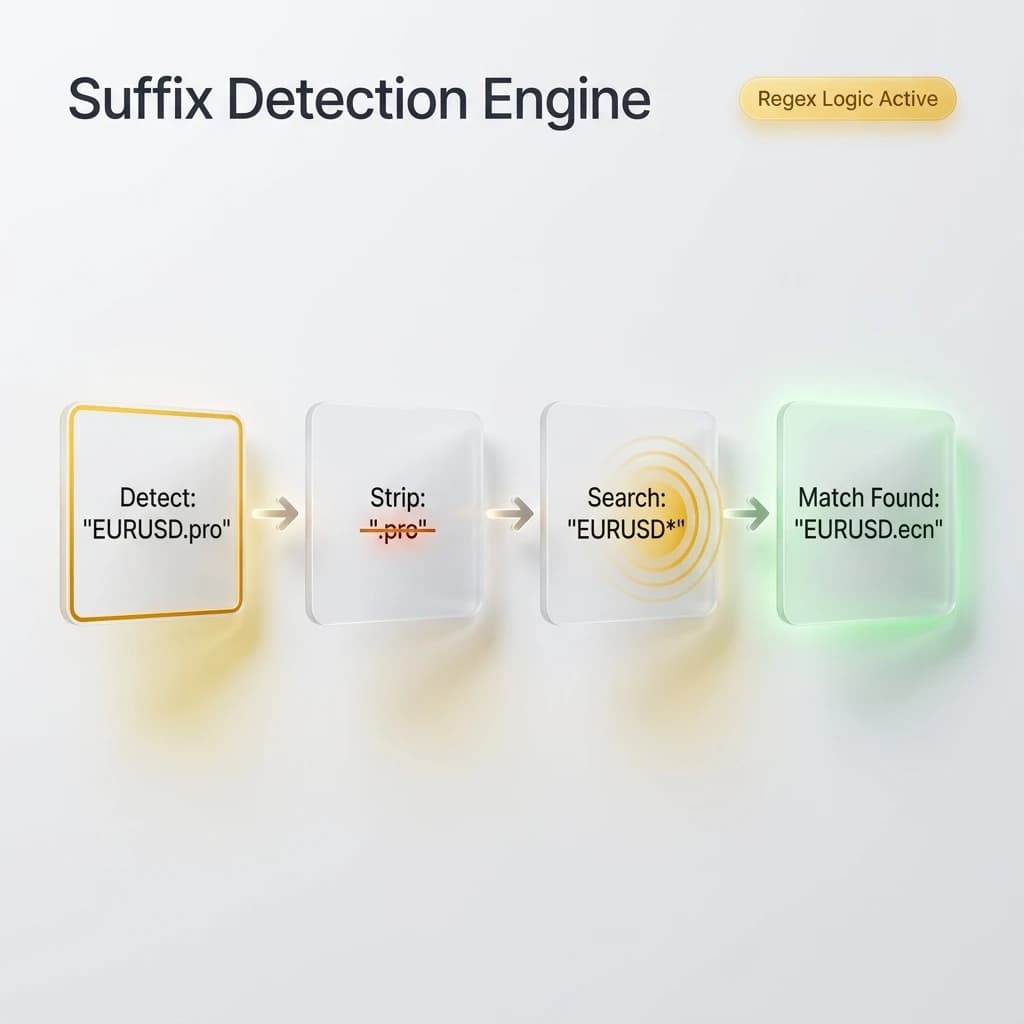
Handle Suffixes, Prefixes, And Custom Assets
Whether your broker calls it "GER30", "DE30", or "GER30.cash" — TradeCopier identifies the correct match automatically and keeps your copy trading running without interruption.
Frequently Asked Questions — Symbol Mapping
Symbol mapping is the process of matching a trading instrument on your master account to its equivalent on your slave account, even when the two brokers use different naming conventions for the same instrument. For example, one broker may list Gold as GOLD, while another lists it as XAUUSD.pro.ecn. Without symbol mapping, the trade copy would fail entirely because the slave account cannot find a matching instrument. TradeCopier handles this translation automatically, ensuring trades execute correctly regardless of broker naming differences.
Yes. TradeCopier's detection engine scans the suffix patterns used by your slave broker and intelligently strips or matches them when resolving symbols from the master account. Common suffixes such as .pro, .raw, .ecn, .min, .i, and .cash are handled automatically without any configuration needed on your part. The system uses pattern-matching logic to find the correct instrument even when the suffix format is non-standard.
Yes. TradeCopier supports full custom manual overrides for any symbol pair. If the automatic detection maps a symbol incorrectly, or if you are working with an exotic or non-standard instrument that the engine does not recognize, you can define the mapping manually in your account settings. Manual overrides always take priority over auto-detected mappings, giving you complete control.
Yes. Symbol mapping is applied at the copy logic level, which means it functions correctly regardless of whether your master and slave accounts are on the same or different platforms. Whether you are copying from MT4 to MT5, MT5 to cTrader, or any other supported combination, TradeCopier resolves the symbol names independently for each platform and broker.